
Why Am I Getting Spam Leads from Meta Ads?
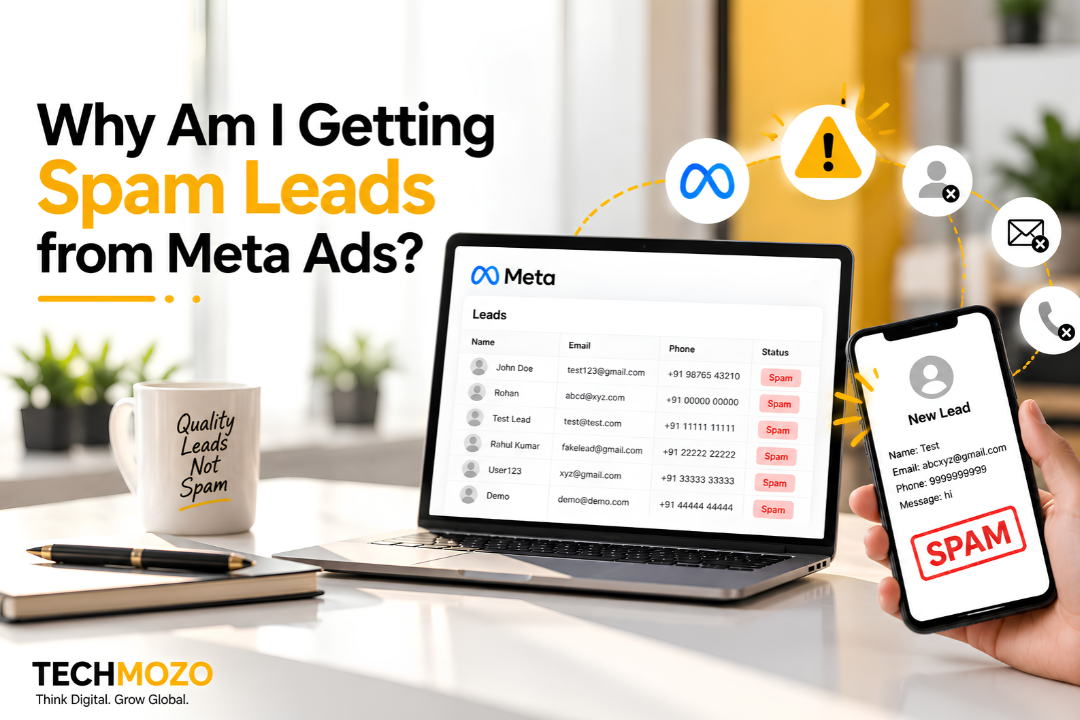
You open Ads Manager and the report looks healthy. Plenty of leads, a modest cost per result, a graph moving the right way. Then your sales team starts dialling and the story falls apart. One number is switched off, another belongs to a stranger, and a third person insists they have never heard of you.
If this is happening to you, don’t assume Meta is broken. In most accounts we review at TechMozo, junk leads trace back to a handful of setup decisions that quietly tell the platform to chase quantity. Change those decisions and the quality of leads changes with them.
What Counts as a Spam Lead?
Not every bad lead is spam in the same way, and the fix depends on which kind you have.
Bot and Script Submissions
These are the obvious ones: keyboard-mash names, emails that bounce, phone numbers like 9999999999. They often land in clusters, several within the same minute.
Real People Who Tapped by Mistake
Facebook and Instagram pre-fill the form with the user’s saved details. Someone scrolling one-handed on a train can hit “Submit” without reading anything. The contact details are genuine, but the interest isn’t.
People Chasing the Freebie
If your hook is a giveaway, a heavy discount or a “free audit,” you will attract people who enjoy free things. They answer the form, skip the call and vanish.
Leads Outside Your Service Area or Budget
These are the most expensive to ignore, because they look legitimate. The person is real and willing to talk, but you can’t serve them or they can’t afford you.
Why Meta Ads Bring Spam Leads
The Form Asks for Almost Nothing
A form that needs no typing and no thought removes the one moment where a casual browser might think twice. Volume goes up. Intent goes down.
The Campaign Is Rewarded for Cheap Results
Meta’s delivery system learns from the goal you set. Tell it to maximise lead form submissions and it will look for people who submit forms often, whether or not they ever buy anything. Cheap clicks and cheap leads usually come from the same crowd.
Placements Are Left on Autopilot
Automatic placements can show your ad in spots where taps are accidental or low-attention, such as small in-app banners or fast-moving Reels. Without checking the placement breakdown, you may be paying for those taps for weeks.
The Offer Is Vague
“Get a free consultation” says nothing about who you help, what you charge or what happens next. Specific offers filter people out. Vague ones let everyone in.
No One Is Checking Leads at the Door
If every submission goes straight to the sales team, nothing separates a real enquiry from a script. A basic verification step is often the difference between a clean pipeline and a polluted one.
How to Reduce Spam Leads from Meta Ads
Use the Higher Intent Form Setting
Inside the instant form builder you can choose between a volume-focused and an intent-focused option. The second adds a review screen before the lead is submitted. You will see fewer total leads, but a larger share will pick up when you call.
Ask Questions Only a Serious Buyer Will Answer
Two or three short questions are enough. Try a dropdown for the service they need, a range for their budget, and a choice for how soon they want to start. A spammer won’t bother. A genuine prospect will answer in seconds and appreciate that you asked.
Send Clicks to a Landing Page You Control
A landing page gives you tools Meta’s form doesn’t. You can add a CAPTCHA, a hidden honeypot field that bots fill in and humans never see, and an OTP check on the mobile number. For higher-priced services, this one change usually cleans up the list more than any targeting tweak.
Clean Up Audiences and Placements
- Exclude people who previously submitted fake or irrelevant leads
- Remove locations you can’t serve
- Look at the placement report and switch off the ones that bring leads nobody can reach
- Build lookalikes from paying customers, not from your whole lead list
Teach Meta What a Good Lead Is
This is the step most advertisers skip. Connect your CRM or website to Meta through the Conversions API and pass back events such as “qualified” or “closed.” Once the system sees which leads turn into revenue, it starts looking for more people like them.
Say More in the Ad Itself
Mention the price band, the city, the type of customer you work with. A good ad should make the wrong person scroll past. If your ad is for homeowners in Delhi NCR, say so plainly.
Spotting Junk Leads Before They Waste Your Team’s Time
Red Flags in the Lead Sheet
- Names that are single letters, repeated words or random characters
- Free or disposable email domains with odd spellings
- Phone numbers with repeating or sequential digits
- Many submissions timestamped within seconds of each other
- Leads that never open your WhatsApp message or answer a second call
Track What Happens After the Lead
Cost per lead tells you what you paid to get a name. Cost per qualified lead tells you what you paid to get a conversation. Cost per customer tells you whether the campaign works. Ask your agency or your team to report on all three, and treat the first number with caution.
Check Your Own Speed Too
A lead from a social feed was in the middle of something else when they tapped your ad. If your team calls two days later, many will have forgotten they enquired. Before labelling a batch as spam, look at how quickly it was contacted and how many attempts were made.
When Meta Might Not Be the Right Starting Point
Some services are bought after a search, not during a scroll. Think CA firms, immigration consultants, B2B software or emergency repairs. For these, the intent is already on Google, and Meta tends to deliver browsers rather than buyers. Starting with Google Ads and using Meta to support it later often gives a cleaner pipeline. Our PPC services and social media marketing teams plan the two channels together for exactly this reason.
How TechMozo Fixes Lead Quality
We Audit the Whole Path, Not Just the Ad
TechMozo looks at the campaign objective, form settings, placements, audiences, landing page, tracking and the way leads reach your CRM. Spam usually enters at one specific point, and we find it before recommending any budget changes.
We Rebuild Around Qualified Leads
That means higher-intent forms or verified landing pages, tighter audiences and conversion events tied to real sales outcomes. We report on cost per qualified lead so you can see the effect clearly.
We Set Honest Timelines
Expect lead volume to dip when you add friction, then quality to improve over the following weeks as delivery adjusts. If you’d like a second opinion on your current account, contact our team.
Final Thoughts
Spam leads are frustrating, but they are information. They show you that the campaign is rewarding quantity and that nothing in the funnel is checking quality. Add some friction, ask better questions, verify contact details and teach Meta what a real customer looks like. Do those four things and the lead list you hand your sales team will start to look like a pipeline again.
If you’d rather have specialists handle it, TechMozo manages Meta Ads for businesses across Delhi NCR and India. Write to us at info@techmozo.in.
Frequently Asked Questions
Why do I get so many fake leads from Facebook ads?
Usually because the form is too easy to submit, the campaign is optimised for the lowest cost per lead, and nothing verifies phone numbers or emails before the lead reaches you.
Are cheap Meta leads always bad?
Not always, but a very low cost per lead deserves suspicion. Check how many of those leads answer calls and how many turn into customers before you celebrate the number.
Is it better to use a lead form or a landing page?
A native form is faster for the user and gives you more leads. A landing page gives you more control and cleaner data. For higher-priced services, the landing page usually wins on quality.
How long until lead quality improves?
Some changes, such as higher-intent forms, show up within a couple of weeks. Allow roughly a month or two for delivery to settle around the new setup.
Can TechMozo review my existing Meta Ads account?
Yes. We can audit your campaign structure, forms, audiences and tracking and tell you where the junk leads are entering.